From a numbered parking space to a paid order.
We built the online store and the curbside pickup system behind it for a specialty retailer with more than 300 stores, from the parking-space signs to the text messages, substitutions, payments, and inventory. Order volume went from 5,000 a week to over 10,000 in the first month.
- Client
- Regional specialty retailer (wine, spirits, and fine foods) with 300+ stores
- Our role
- Lead developer and architect: storefront and curbside system, built end to end
- Team
- 5 people: 2 developers, 2 designers, 1 product manager
- Timeline
- 6 months, concept to launch
- Delivered
- Storefront, picking tablet app, text messaging, payments, inventory, and in-store signage
- Stack
- WordPress, WooCommerce, custom PHP back end, Stripe, AWS SNS
Order volumes are as reported by the client team during rollout.
Customers wanted to pick up without going in. Stores had to make that work at scale.
Curbside pickup is simple for the customer and hard for the store. Someone has to know a car has arrived, which space it is in, and what is in the order, and the order has to be right even when a bottle is out of stock.
300+ locations, one behavior.
Every store has its own inventory, hours, parking lot, and staff. The system had to work the same way everywhere, with no per-store customization to maintain.
Substitutions mid-pick.
When an item is missing, the picker needs the customer’s answer within minutes, while the order is still in their hands, not after the bag is sealed.
Prices that move.
Swaps and price differences mean the final total can differ from the cart, so payment could not be a simple charge at checkout.
No slow start.
The system carried 5,000 orders in its first week and doubled within a month. There was no quiet period to learn on.
One order, from cart to car.
- 1
Choose curbside and a store
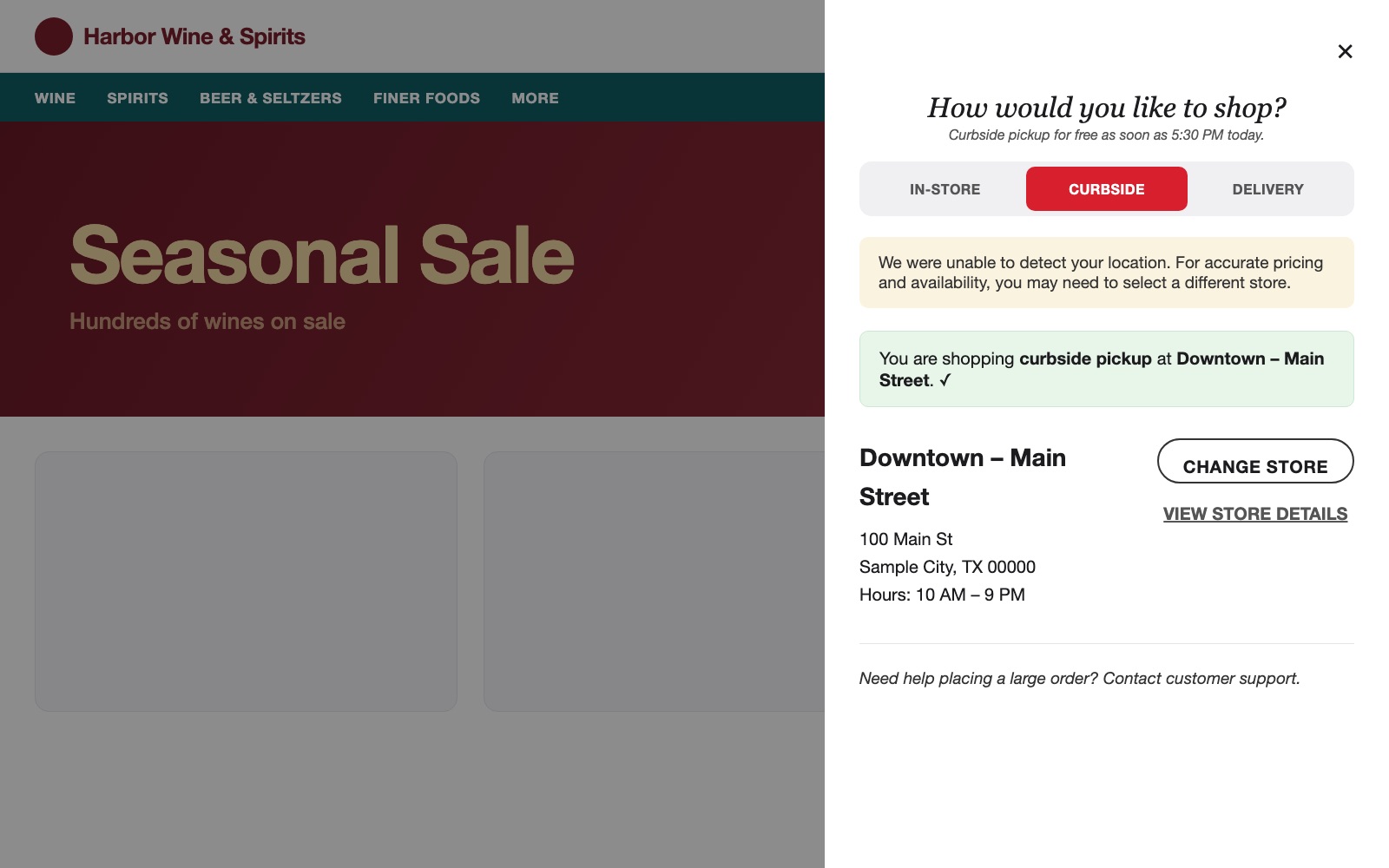
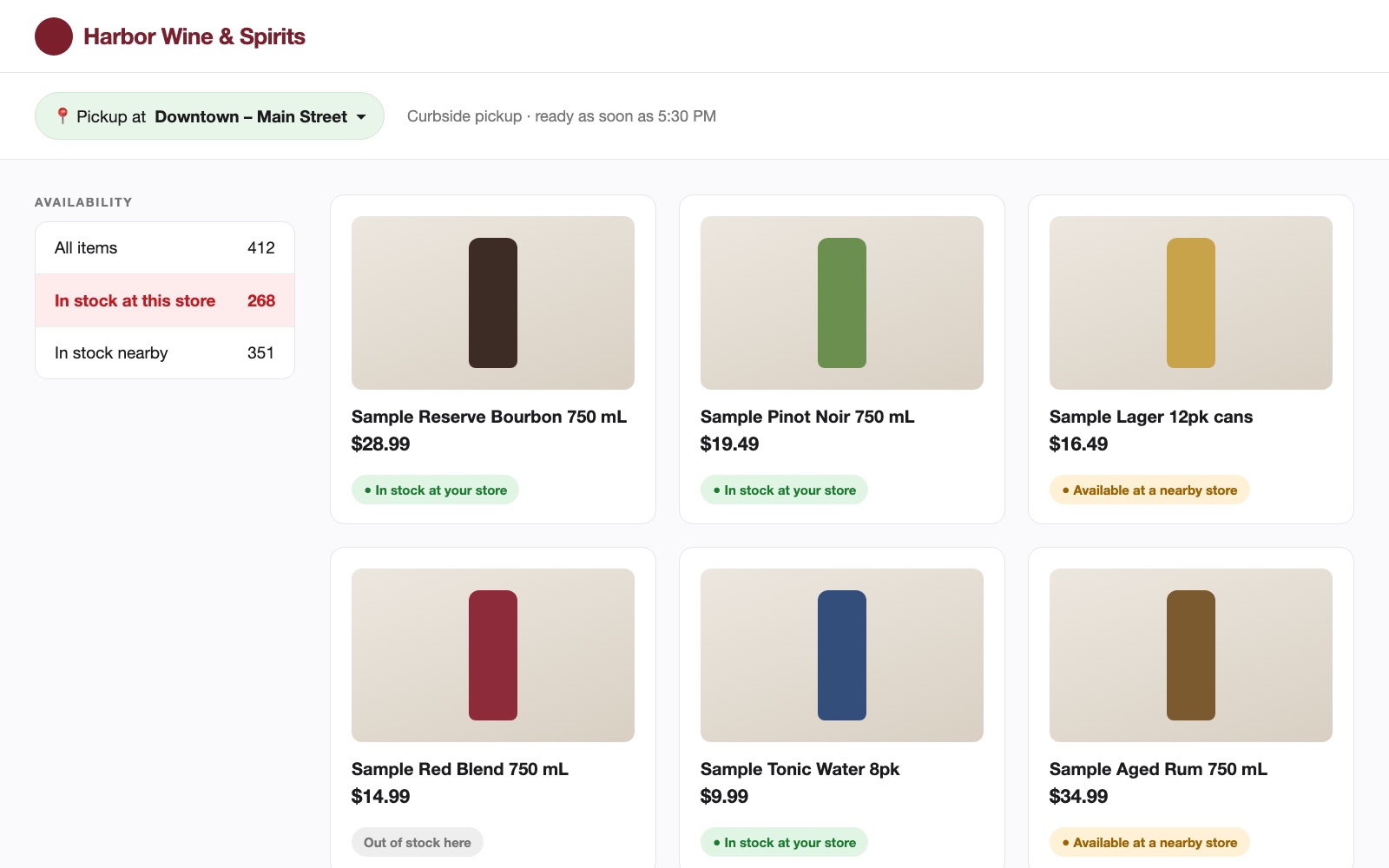
The shopper picks curbside pickup and a store. Product availability follows that store, with filters for items in stock at the store or nearby.
- 2
Place a hold on the card
The card is authorized for the order total plus 10%. Nothing is final yet.
- 3
Staff pick on a tablet
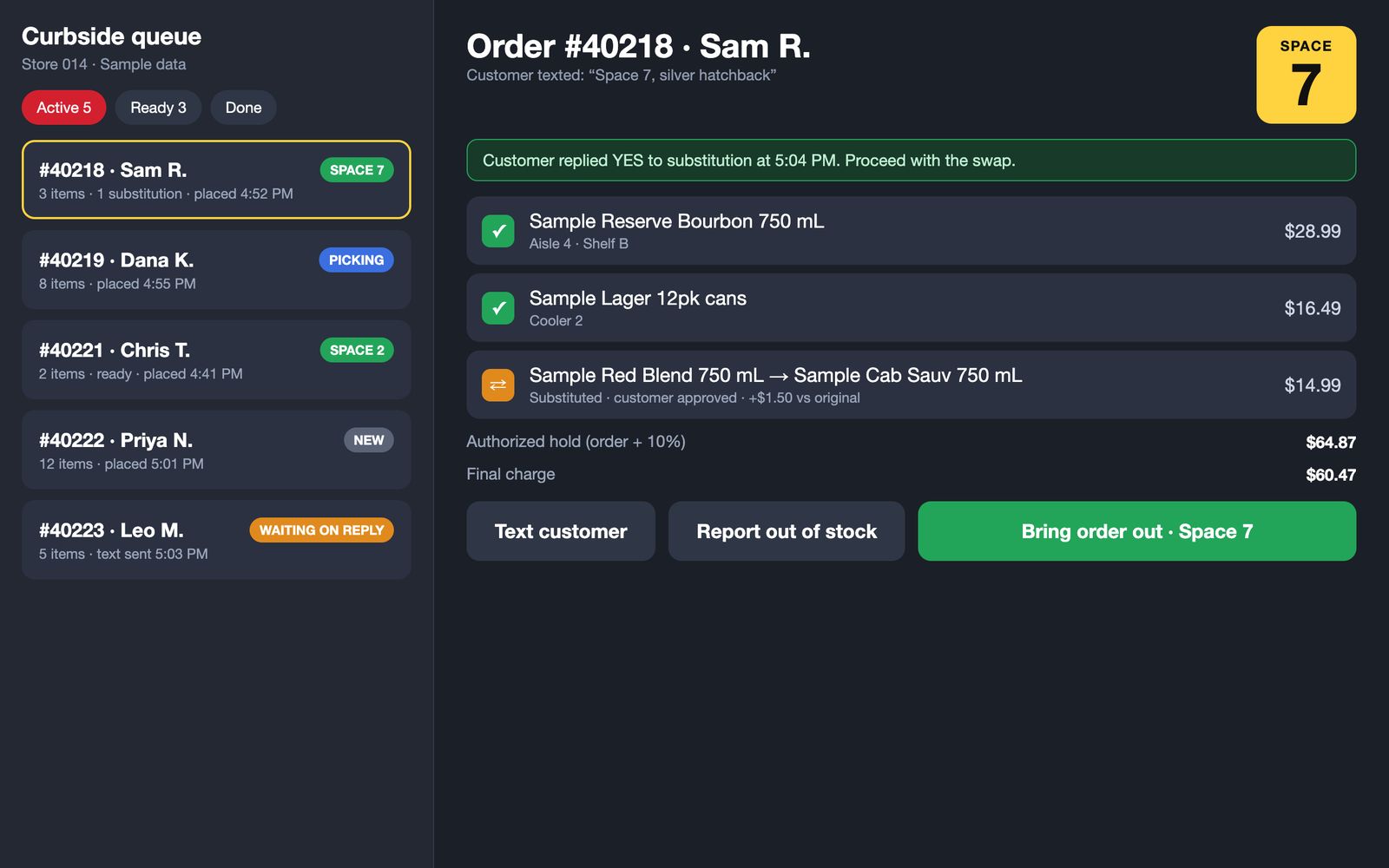
Each picker carries a tablet showing the queue, the items, and where to find them.
- 4
Approve substitutions by text
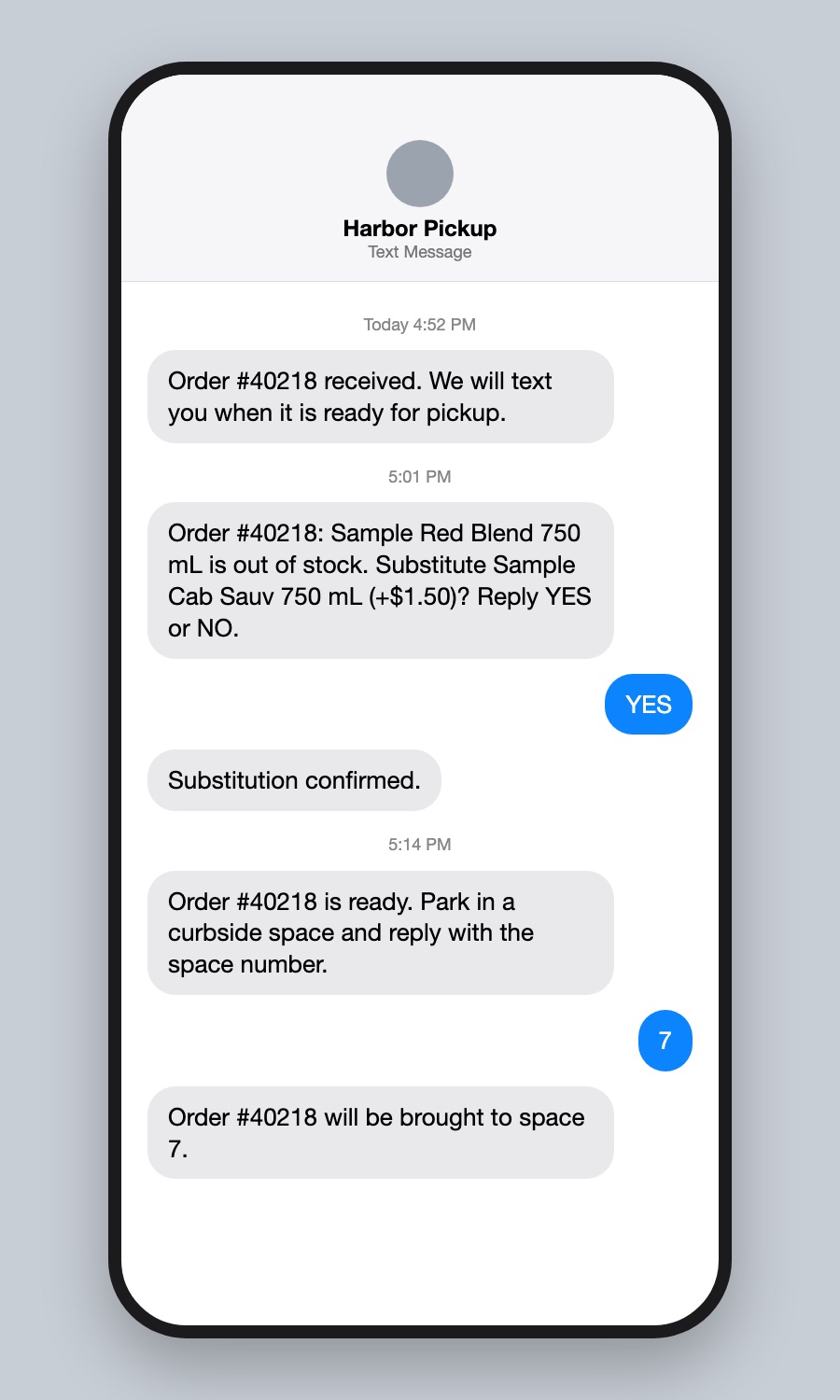
If an item is out, the system texts the customer a proposed swap. Their reply appears on the picker’s tablet.
- 5
Park, then text the space number
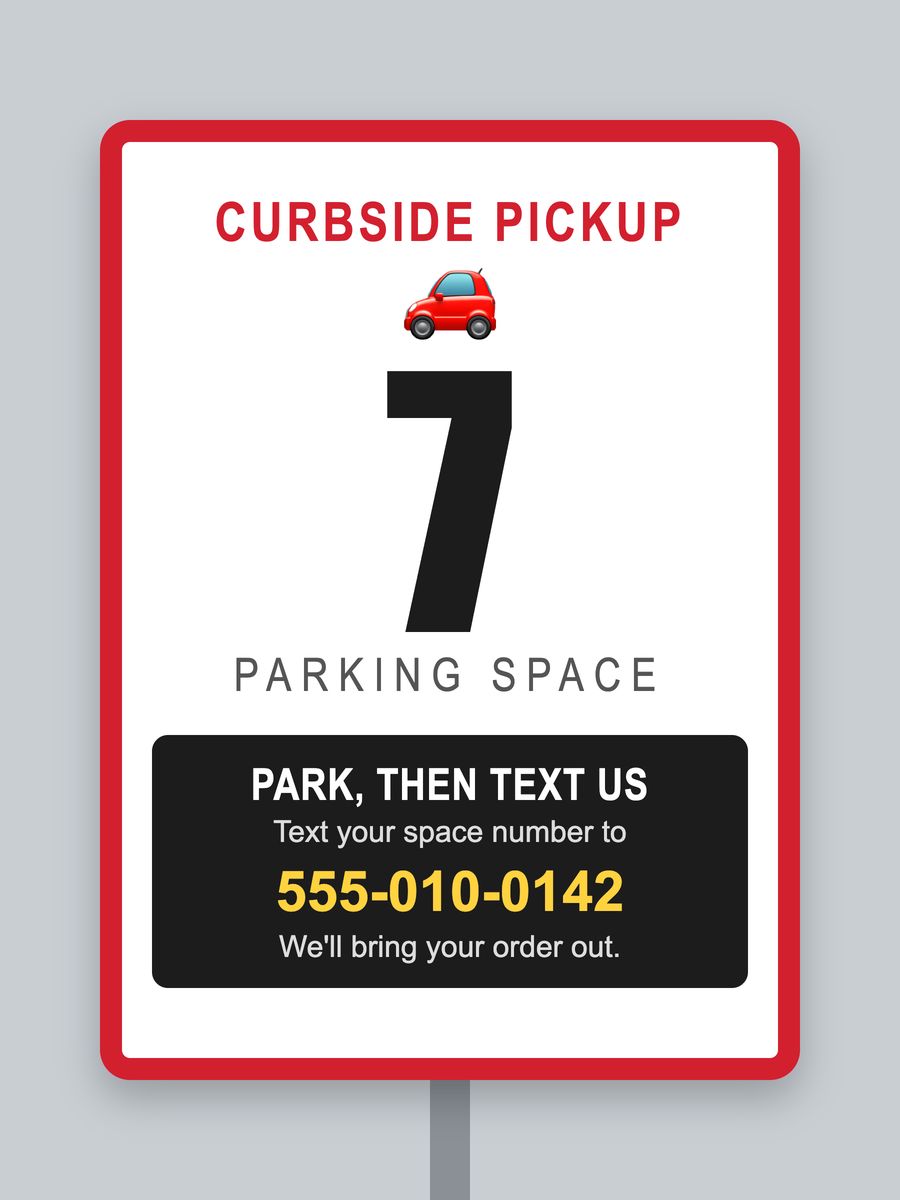
A numbered sign marks each space. The customer texts the number, and the order moves to the top of the queue.
- 6
Charge the exact amount
The hold is captured for the final total, including any substitutions, and the rest is released.
Five systems that had to agree with each other.
WordPress + WooCommerce
Catalog, store selection, cart, and checkout, with order type and store carried through every page.
Custom PHP
Order routing, the curbside queue, text handling, and the payment steps WooCommerce does not cover.
Picking tablet
Order queue, item checklist, substitution flow, and the space number for each arrived customer.
SMS
Order updates, substitution questions, and the space-number handoff, all as ordinary text messages.
Stripe
Authorize at order time, capture at the final amount once picking is done.
Parking signs
Numbered spaces with one instruction: park, then text the number.
Five choices that shaped the system.
Hold the order plus 10%, then capture the exact amount.
Substitutions and price differences mean the final total is not known until picking is done. The card is authorized for the order total plus 10%, which leaves room for a swap. When the order is bagged, the hold is captured for the exact amount and the rest is released. Customers pay for what is in the bag, never an estimate.
The customer texts a space number.
There is no app to install and no account to open at the curb. The customer reads a number off a sign and sends it as a text. Staff do not have to walk the lot looking for a car, and the number in the text maps straight to the right order.
Substitutions are a text conversation tied to the order.
When a picker flags an item as unavailable, the customer gets a text with the proposed swap. A reply of yes or no lands on the order itself and shows up on the picker’s tablet. The picker keeps working instead of waiting at a phone.
A custom back end owns the flow, not the storefront.
WooCommerce handles the catalog and checkout well, so we kept it for that. Everything it does not cover, including the curbside queue, text handling, and the hold-and-capture payment steps, lives in a purpose-built back end. That kept the storefront simple and put the rules in one place.
Store and order type come first.
Pricing and availability depend on which store the customer will drive to, so the store and order type are chosen up front and carried through the whole session rather than discovered at checkout.
The tools that made the handoff fast.
Following the order through the queue
Each order moves through a small set of states, and each state is something a picker can read at a glance on the tablet. An order waiting on a text reply does not block the queue, and an order whose customer has texted a space number jumps to the top.
Why the hold is plus 10%.
A single swap changes the total. The hold has to be large enough to absorb that, and the capture has to land on the exact final amount.
| Original cart (3 items) | $58.97 |
| Authorized hold (cart + 10%) | $64.87 |
| One item swapped, +$1.50 vs original | +$1.50 |
| Final charge (captured) | $60.47 |
| Released back to the customer | $4.40 |
Sample figures matching the picking tablet above.
Texting scaled up without changing the experience.
Notifications started on a basic texting provider and moved to AWS SNS when volume grew past what the first provider suited.
Because the back end owned the message flow, the change happened behind the scenes. Customers kept texting the same way, and pickers kept seeing replies on the same screen. That is the payoff for putting the rules in one place: the parts around it can be swapped without anyone in a store noticing.
What each piece contributed.
| Piece | Problem it solved |
|---|---|
| Store and order-type selection | Availability and pricing that match the store the customer will drive to |
| Numbered parking signs | Staff find the right car without searching the lot |
| Text-the-space-number handoff | No app or account needed at the curb |
| Picking tablet | One queue, one checklist, one view of who has arrived |
| Substitution by text | Decisions made while the order is still being picked |
| Hold of order + 10%, then exact capture | Customers charged for what they actually receive |
| Back end that owns the message flow | Texting provider swapped at scale with no change for customers or staff |
Lessons we bring to the next build.
Make the customer’s step one action.
Everything that is hard happens behind the scenes. At the curb, the customer sends one number.
Design for the exception.
Out-of-stock items and price changes are not edge cases in retail. They are the normal case, so the flow was built around them.
Keep the rules in one place.
A back end that owns the order flow let us change providers, tools, and screens without breaking the experience in 300 stores.
Client details are withheld. The storefront, parking sign, picking tablet, and text thread shown here are illustrative recreations with a fictional brand and sample data.
Need experienced people on a software initiative?
Tell us what you are trying to move forward, what roles you need, and where your team is stretched. We will help you understand the right team shape and whether Tilted Windmill is a fit.
Talk Through Your Team Needs →