One login for everything a learning coach needs.
Learning coaches used to sign in to a different system for community, grades, assignments, schedules, and live classes. We took the app from concept and discovery to beta and launch, and it now brings seven systems into one app on iOS, Android, and the web.
- Client
- National online K-12 education provider
- Our role
- Tech lead: architecture, performance, deployments, QA, and discovery
- Team
- 19 people: 8 developers, 6 designers, 2 product managers, 2 QA engineers, 1 DevOps
- Timeline
- July 2025 to launch in fall 2026, from concept to the app stores
- Platforms
- iOS, Android, and web from one codebase
- Stack
- Expo, React Native, Laravel, Firebase
Performance figures were measured on a staging server across 15 scenarios, not production.
The information was all there, in too many places.
A learning coach supports a student’s school day from home. To do that well, they need to see how the student is doing, what is due, what is live today, and where to get help from other coaches. Each of those lived in a separate system with its own login. The goal was simple to say and hard to build: one app, one sign-in, one place to look.
Discovery
Start from nothing, then find the real problem.
The first commit in the repository is a blank project from July 2025. Discovery started before that and kept running through beta.
Coach interviews and workshops.
Sessions with 10 to 25 coaches showed which questions they asked every day and what they did to answer them.
A system-by-system audit.
We mapped where each answer lived, and what each source could and could not expose.
Survey and usage data.
Existing data helped rank what to build first, so the first release covered what coaches needed most.
The simplest finding mattered most.
Coaches were juggling too many logins to do one job. Everything else followed from that.
Interviews and workshops showed which questions coaches asked every day. The system audit showed where each answer lived and what each source could expose. Survey and usage data helped rank what to build first.
What surprised us was that the data was harder to reach than the screens were to design. Some sources only answer from inside the client’s network. The sign-in provider’s school claim can be blank. Grades and assignments sit behind a data service that fronts older systems. Each of those became a rule in the middleware, so the app never has to know.
Four things the rest of the project built on.
A system map.
Every source and how data flows between them, so everyone worked from the same picture.
A prioritized scope.
What made the first release and what waited. The web version and the advanced schedule (search, week view, live classes) came in later releases.
An architecture decision.
Put one middleware in front of every source, with the boundaries of the existing community platform written down.
A design brief.
A shared starting point for the six designers, grounded in what coaches told us.
Production
How the work unfolded.
We worked inside the client’s product and engineering structure, not beside it. That meant their standups and sprint reviews, their security and procurement reviews, and their stakeholders across product, design, engineering, and operations.
- Jul 2025 onward
Concept and discovery
Interviews, workshops, and a system-by-system audit. It started before the first commit and kept running through beta.
- Late 2025 to spring 2026
Build
Feed, groups, messenger, events, schedule, grades and assignments, and peer connections for coaches. Real push notifications replaced 30-second polling.
- Apr 2026
Performance pass
Five candidate optimizations measured against a baseline before any of them shipped.
- May 2026
Web
The same codebase shipped as a web app for coaches working on a desktop.
- Jul 2026
Beta
A school allowlist gate went in. Four schools and about 2,000 users signed in through it.
- Fall 2026
Launch
Full release on the App Store and Play Store, at version 2.0.3, with accessibility work across the web build.
Nineteen people, five disciplines.
Our tech lead owned architecture, performance, deployments, QA, and discovery, and worked daily with the product managers, designers, and engineers around them.
A rhythm that kept nineteen people pointed at the same work.
With eight developers, six designers, and a client with its own stakeholders, the process mattered as much as the tools. We wrote the operating model down early so that everyone could see how work moved from an idea to a shipped feature.
Leads and product owners also met weekly in a lead sync to rank priorities, estimate tasks, and spot where bandwidth was running short, so the sprint plan was never a surprise.
Design and engineering worked in parallel, with a demo at each gate.
Simple on purpose, so it moves quickly.
The ticket flow was kept short. There were deviations, but this covered most of the work.
Estimate everything.
Tasks start at half a day and max out around three days. Anything smaller is grouped, anything bigger is broken down. Nothing moves to In Progress without an estimate.
Size the sprint to the person.
Roughly ten days of work is assigned to each team member. Overhang goes to a later sprint or back to the backlog.
Only active work is In Progress.
A ticket changes status when work actually starts, so the board always shows what is being worked on.
A second set of eyes.
Finished work is reassigned to another team member or lead to check it. If it is not complete, it goes back to the original assignee for revisions. Design tasks are checked by design leads, and engineering tasks by QA.
Nine sprints from kickoff to a launch target.
The original MVP plan started with a sprint of onboarding and setup, moved through design requirements and sign-in, then released each feature in alpha and then beta, with milestones for analytics, store accounts, push messaging, and app submission along the way.
- Sprint 0 · Jul 22Team onboarding, review materials, project init, client access
- Sprint 1 · Aug 8Design requirements, feature workshops, Jira user stories
- Sprint 2 · Aug 22Basic app setup, single sign-on, documentation set up
- Sprint 3 · Oct 3Design: wireframes for navigation and groups. Development: navigation, groups, events
- Oct 10Set up the App Store and Play Console
- Sprints 4–6 · Oct 17 to Nov 14Community, messenger, settings, resources, notifications, search, timeline
- Nov 5Marketing alerts: in-app messaging and push
- Sprints 7–8 · Nov 28 to Dec 12Beta features and a UX polish pass
- Dec 2Prep app submission: info, screenshots, links, legal
- Dec 15Launch target
This is the original MVP schedule. The app reached full release in the fall of 2026.
How we kept a staged rollout under control.
Scope in releases, not all at once.
Discovery set what made the first release and what waited. The web version and the advanced schedule came later, which kept the first release focused on the questions coaches asked most.
Gate the beta by school.
Only allowlisted schools could sign in ahead of a full release. The gate checks the user’s joined school communities rather than the sign-in provider’s school claim, which can be blank. An empty allowlist turns the gate off, a community-platform outage never locks anyone out, and a blocked user lands on a purpose-built “not in beta yet” screen instead of a login loop.
Sequence risky rollouts.
Push notifications moved in a fixed order: the middleware first, then the app, then the switch on the existing community platform last. Each step could be verified before the next one depended on it.
Know when something is down.
A health check probes the community platform, the student data service, the identity provider, the school site, and push delivery, and reports to a team chat channel when one fails.
Measure before shipping.
Performance changes were tested against a fixed baseline on a staging server, with 15 scenarios and 30 restarts per run. Each change had to prove itself in numbers before it went out.
The hard part was not the code.
The hard part was getting the right decisions made fast enough across product, design, engineering, security, and the internal teams whose systems the app had to talk to. We owned the coordination layer that made those decisions land, and the execution layer that turned them into shipped product.
The result is a single app on iOS, Android, and the web with community, grades, assignments, and schedule in one place, and alerts that reach coaches instead of making them check.
Design
One app, built around a coach’s day.
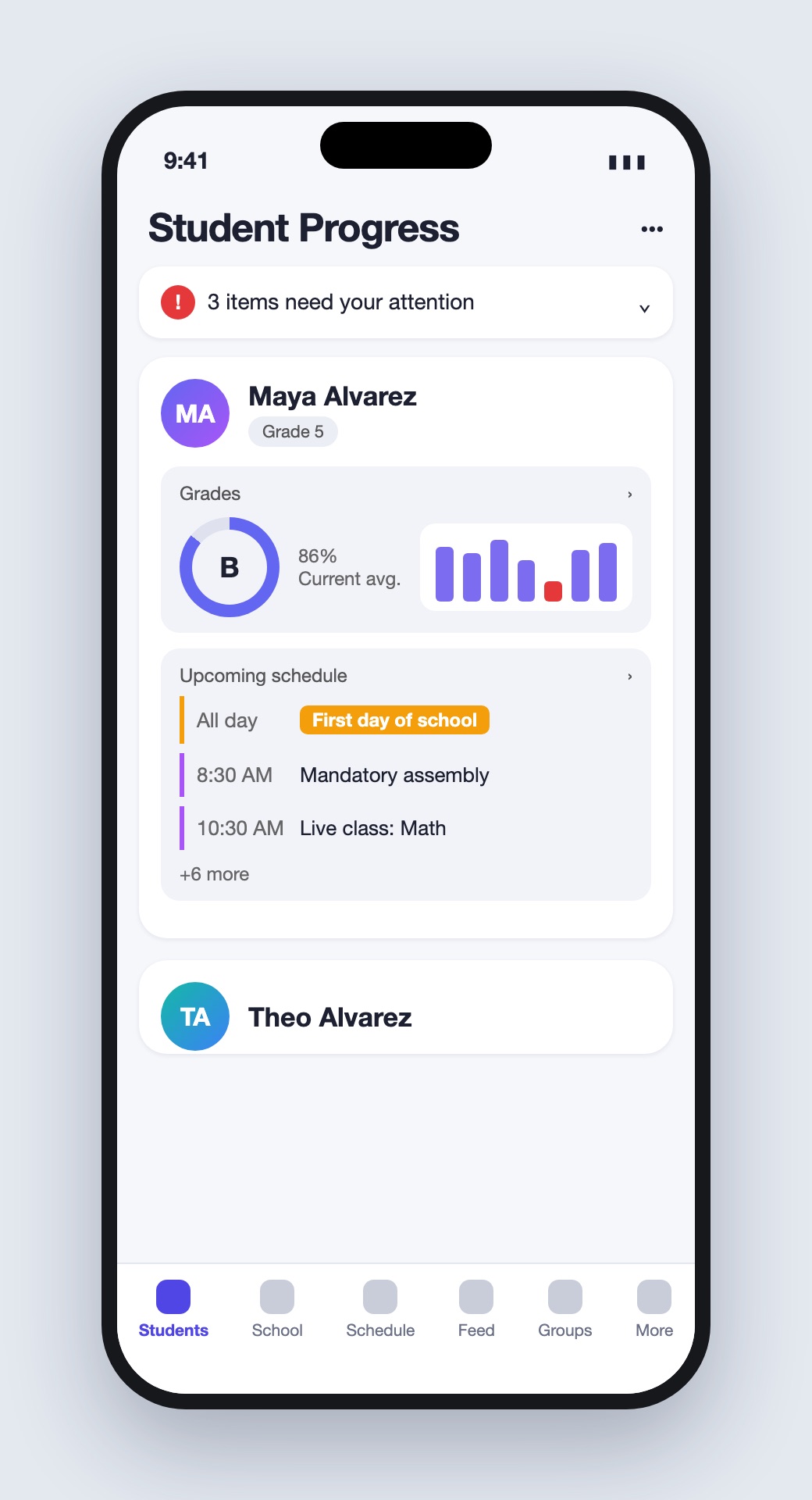
Six designers worked from a shared brief that came out of discovery. The product they shaped shows a coach how each student is doing, what is due, what is live, and where to get help.
Student Progress.
Every student a coach supports, with current grades, alerts, and the day’s schedule in one view.
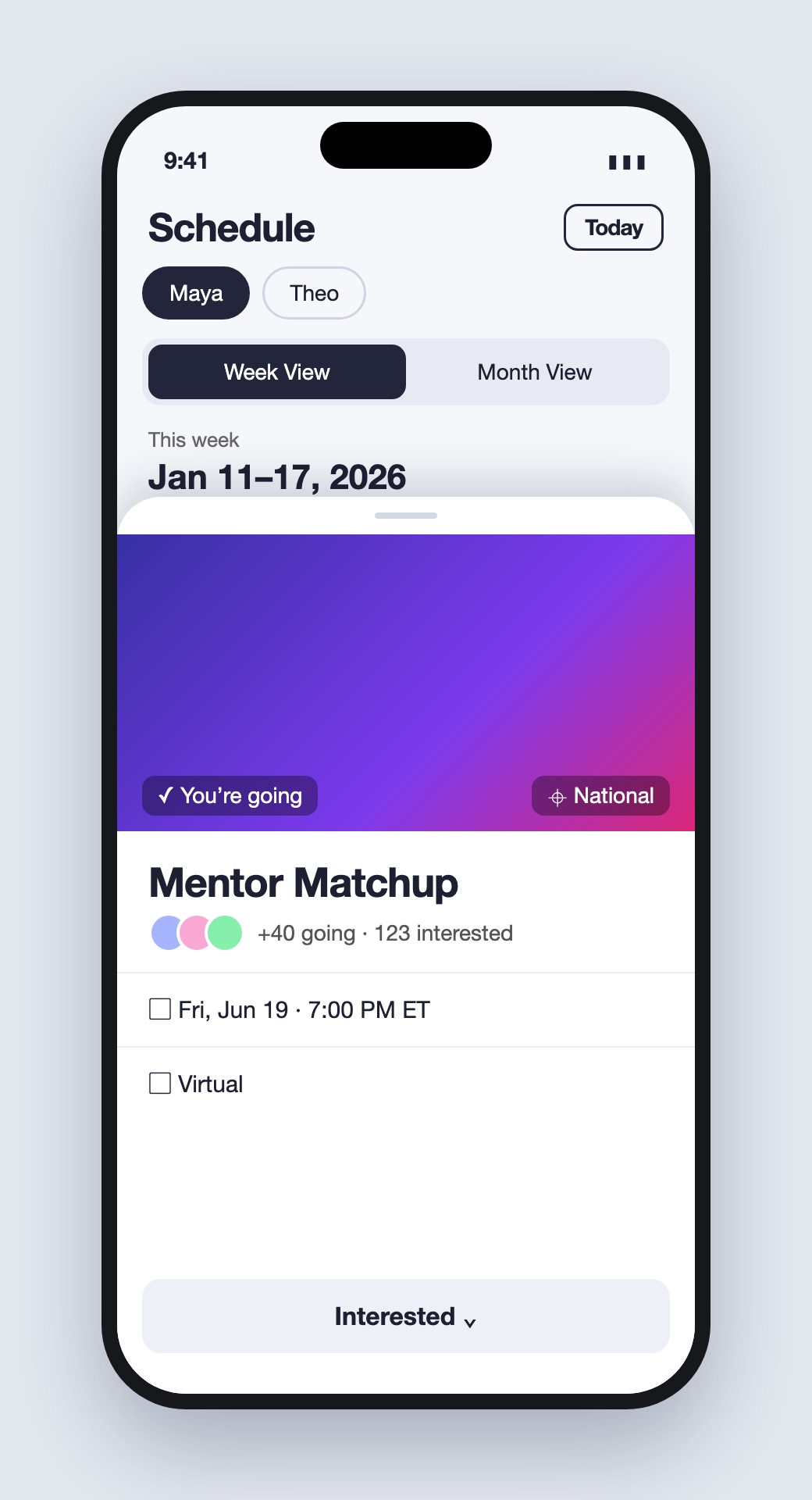
Week view and live classes.
Search anyone’s schedule, open on the week view, and see assignments due and live classes on the calendar.
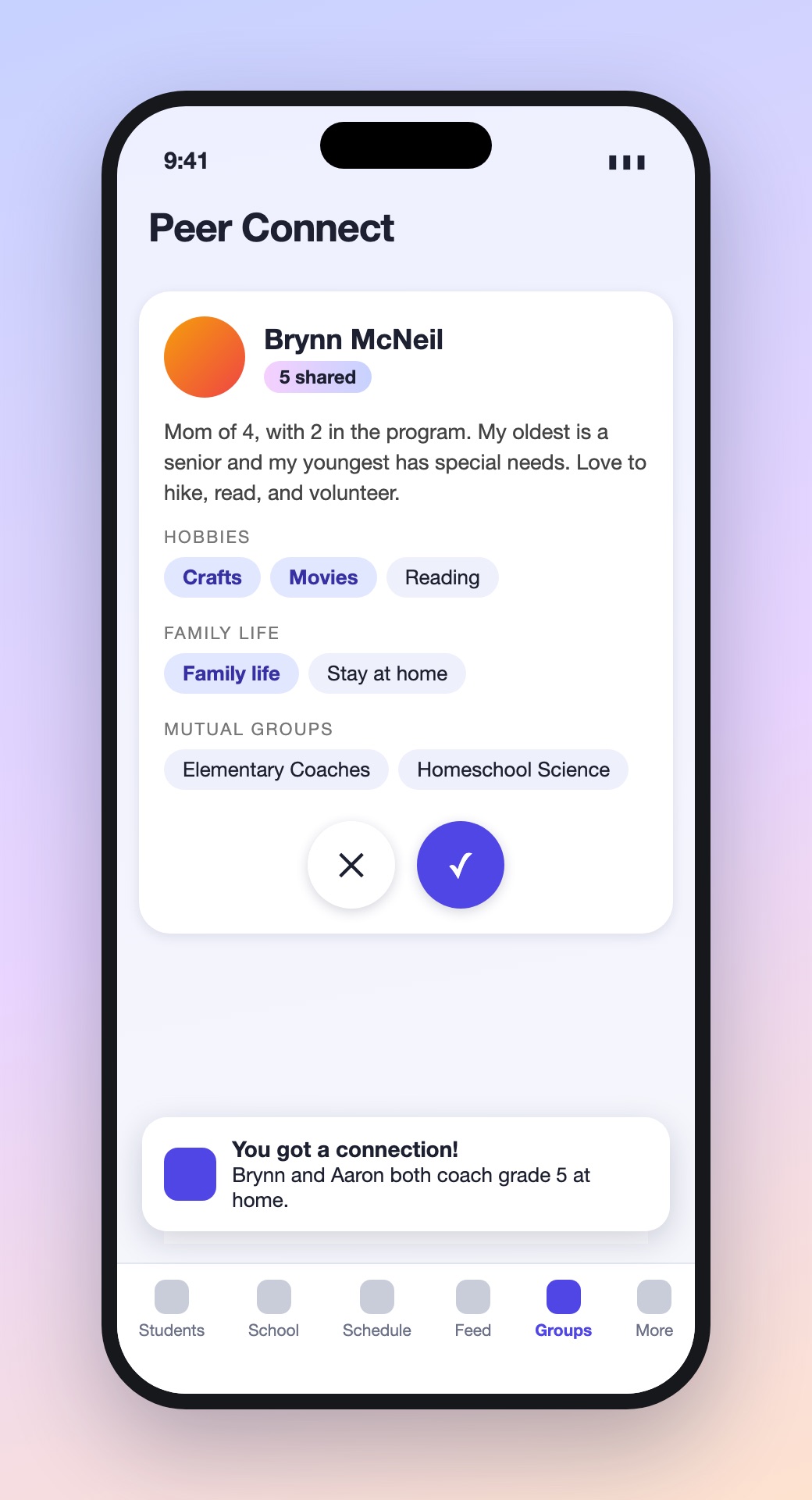
Feed, groups, and messenger.
Posts show their audience, groups show mutual friends, and direct messages sit alongside them.
The same product, on every screen.
Built for a bigger screen.
A modal composer and chat, hover profile cards, global search, and a Student Progress view designed for coaches working at a desk.
Screen-reader and keyboard support.
Navigation, feed, composer, profile, events, groups, and messenger all work with assistive technology across the web build.
Three moments from a coach’s week.
Illustrative recreations with fictional names and sample data.
Tech
One login, seven sources. The app talks to one API.
Rather than have the app call seven systems, a Laravel middleware sits in the middle. It signs the user in once, calls each source on their behalf, shapes the results, and caches what changes slowly. The app only ever sees one clean surface.
Four choices that shaped the system.
All integration lives in the middleware.
Keeping the seven integrations behind one Laravel layer means keys and tokens stay on the server, the app stays simple, and each source can fail on its own without taking the rest down.
The community platform stays untouched.
It is the source of truth for community content and notification settings, and the client’s requirements for it were fixed. All changes live in a custom module and core stays as it is. Anything that needs modern tooling, such as push delivery, moved to the middleware.
Push goes through the middleware, not the community platform.
The platform’s push system was built around its old provider’s tag-based targeting. Firebase needs real device tokens, which live in the app. So the platform calls one internal endpoint, and the middleware stores tokens and fans out to every device a coach uses.
One codebase for phone, tablet, and desktop.
The web build runs on the same code as the iOS and Android apps. It needed a few platform-specific fixes: browser storage standing in for secure storage, and a SHA-256 path where the browser lacks MD5.
Alerts that come to you, instead of the other way around.
Real push notifications through Firebase replaced 30-second polling. Scheduled scans in the middleware decide when a coach needs to know something.
Dropped grades
A daily scan flags a student whose grade has dropped, so the coach gets a push instead of having to check.
Failing classes
The same daily scan flags classes where a student is failing.
Overdue assignments
A weekly scan flags overdue work across every student a coach supports.
Measure first, then fix: the retry storm that wasn’t.
With seven sources behind the app, the first launch was making 19 API calls in sequence. We tested five candidate optimizations across the app, API, and community platform against a fixed baseline, with 15 scenarios and 30 restarts per run.
After the first round, calls to three group endpoints showed attempt=3 on every request. It looked like our changes had made a retry storm worse. They had not. Digging in turned up three separate problems:
A label bug.
The retry budget was passed as the attempt number, so every call claimed to be a third try. No retries had happened.
Requests firing too early.
Data-fetching hooks ran before the stored session had loaded, so about six calls per launch went out unauthenticated, failed with a 401, and then went out again.
A fix that stalled warm starts.
The first fix for that held warm starts for 10 seconds, because the “auth is ready” signal never fired when the session was restored from storage. It was caught in the profile feed straight away. The final fix is a single-shot “auth settled” signal that fires on a fresh sign-in and on a restored session, and every authenticated request waits for it.
| Change | Layer | Result |
|---|---|---|
| Remove four endpoints from cold boot | App | Four fewer calls before first paint |
| Persist timeline across launches | App | Stale-while-revalidate: old posts show instantly |
| Trim timeline payload | API | −62% bytes |
| Batch badge lookups with cache | Community platform | 98% cache hits |
| Auth-settled gate | App | 20.7 → 14.1 calls per scenario |
Measured on a staging server across 15 scenarios, not production.
What it’s built with.
Need experienced people on a software initiative?
Tell us what you are trying to move forward, what roles you need, and where your team is stretched. We will help you understand the right team shape and whether Tilted Windmill is a fit.
Talk Through Your Team Needs →Client details are withheld. Figures are from the 2.0.3 release notes and an April 2026 performance measurement report.